Adding an application
You do not have to understand agent orchestration, prompt engineering, OAuth scopes, row-level security or front-end layout to add something to oshal. You need to be able to say what you want to happen. A requirement, a workflow, a reminder, an event — the platform already owns the hard parts, and the parts it cannot do for you are named on this page rather than discovered at step four.
A worked example
“On Tuesday, order flowers for the anniversary.”
That sentence is a whole application: a trigger, a task, a decision, and an action that touches the outside world. You say it to the assistant — here is what happens, including the one place it deliberately stops.
To the assistant, in those words. It recognizes the scheduling intent without you opening a form or learning a syntax — a time phrase at the start of a message ("On Tuesday…", "every morning…", "tomorrow at 3…") is read as an instruction, not chatter.
A deterministic parser — not a guess — converts "on Tuesday" into a schedule rule: the next Tuesday, once, at your morning hour, in your timezone. "every Tuesday" would make it recurring instead. It confirms in one line what it set, and you can cancel it any time.
It becomes a real schedule the runner fires — not a timer in a browser tab. Scoped to you, visible on your calendar, and it survives restarts. A one-time reminder fires once and stops; a recurring one keeps going until you cancel it.
When it fires, your request runs through the assistant exactly as if you had typed it that morning — it routes to the shopping specialist, which searches the connected retailer and assembles the order.
The specialist hands you a ready checkout. It does not pay. Nothing in oshal spends your money — there is no stored card, no outbound payment rail, and every commerce app in the catalog ends at a confirm-it-yourself handoff. And because the fired request keeps every interactive approval gate, an outward step waits for your yes. That is a design decision, not a missing feature.
Four routes in
Three of the four never ask you to open an editor. Each one ends the same way — a real application, registered in the running swarm, with its own bots and its own screens.
The Bot Forge is a chat. It asks what the job is, what goes in, what comes out, what "good" looks like, what knowledge it needs, what it must talk to, when it should run, and what it is allowed to touch. Then it writes the bot — the persona, the manifest, the tool declarations — and puts it in a tray. You click Inject and it is registered and running. You write no YAML and no code.
Honestly: Two of the eight questions want specifics rather than ideas: if your bot must talk to an external service, you supply the endpoint and the credential profile, and you approve the list of tools it may use. It is conversational, not magic.
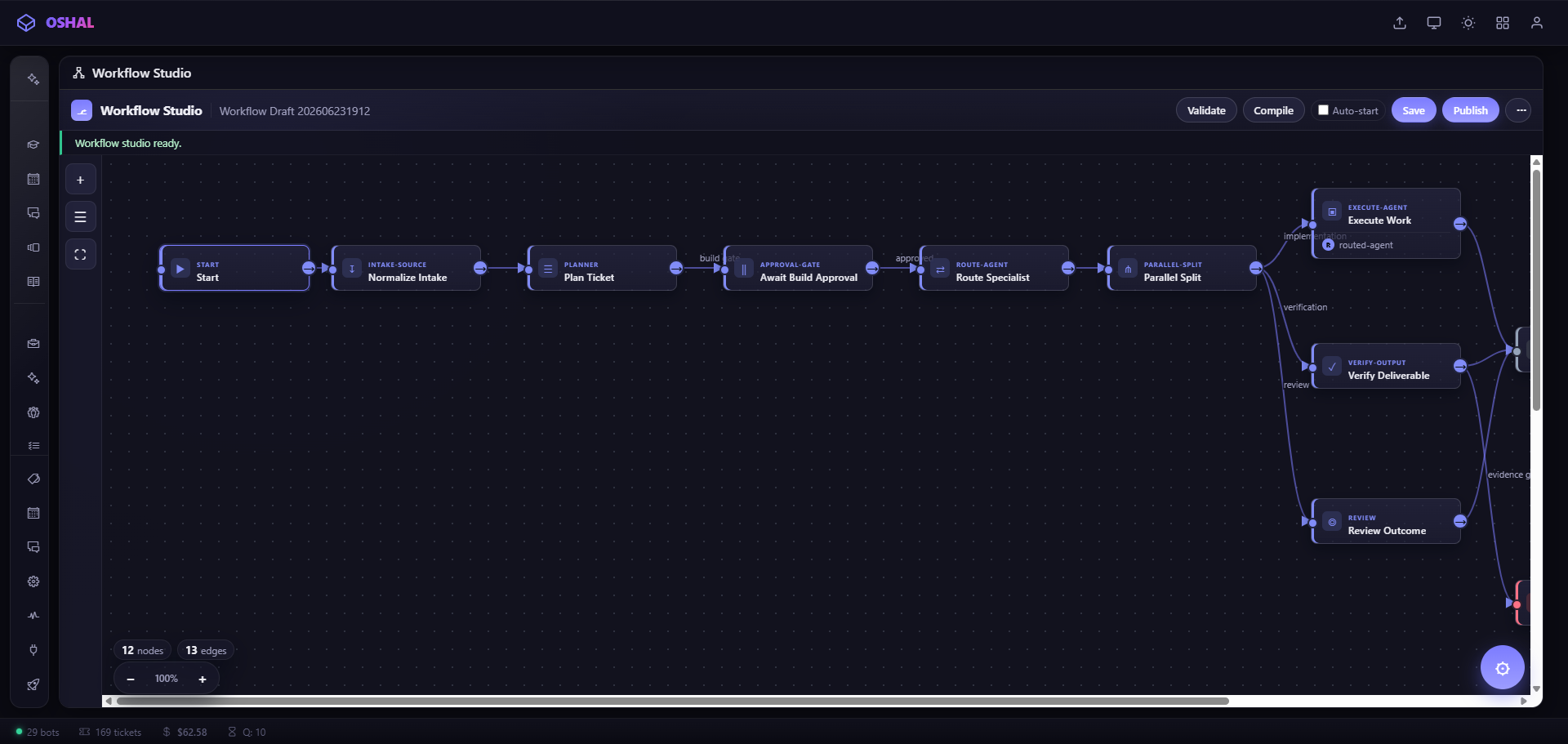
Workflow Studio is for work with shape — steps, branches, approvals, things happening in parallel. You describe it and the graph is drawn as you talk. Publish compiles it into a live queue on the real execution engine: branches evaluate, parallel steps fan out and rejoin, approval gates suspend the run until a human says continue.
Honestly: You pick which bot runs each step from a dropdown, and you need to be signed in — the studio is closed to guest sessions. Composing brand-new agents from a prompt is not built; the canvas orchestrates the bots that already exist.
If you have an Agent-Skills SKILL.md from somewhere else, an importer turns it into the same persona-plus-manifest shape as everything else. It is a command-line step, not a chat.
Honestly: Security-gated on purpose: bundled scripts are quarantined rather than run, declared tools are translated to platform equivalents and minimized rather than copied, and the result is emitted switched off so a human reviews it before it can do anything.
For anyone who would rather read code than talk to it. The reference example is five files and 332 lines, and only two of those files are actually its own — a manifest and a route. The loader requires exactly two fields in a manifest to accept a package at all.
Honestly: This is the route that assumes you can write a small Express handler. The other three do not.
What you skip
This is the actual reason adding an app is small: almost everything that makes software hard is already here, and your package declares that it wants it.
What still needs you
Every platform that claims "just describe it" hides a step. Here are ours, up front.
If your app talks to a service, somebody registers the app on that service and pastes the credential once. No tool can do that for you, and the platform will not pretend it did — it asks for the exact scopes and the login command up front.
Reaching a service nobody has wired yet means adding a connector definition and a bounded server operation with its own schema and authorization tests. That is deliberate: it is the boundary that keeps credentials away from the model. Using an integration that already exists is a declaration.
Which is fine for most jobs. Work that needs isolation, hours of runtime, or its own storage still wants a dedicated node — a hand-edited step today.
A workflow becomes testable by publishing it. Publishing is scoped to you and reversible by unloading, so the blast radius is small — but a rehearsal mode is not built.
Where it lands
Whatever route you took, the result is the same shape as the 54 applications already in the catalog — the same manifest, the same cockpit, the same rails. It opens at its own URL, it can be installed onto another box, and the assistant can route to it.